SKU corrections
When a SKU number changes, the Product Manager for that brand is responsible for letting the project manager and the rest of the team know. This is done on the Product Planning (NPI) board so every department gets the correction, not by passing the change around informally.
Where to make the change
Section titled “Where to make the change”The PM (or project manager) opens the Product Planning board for that year and
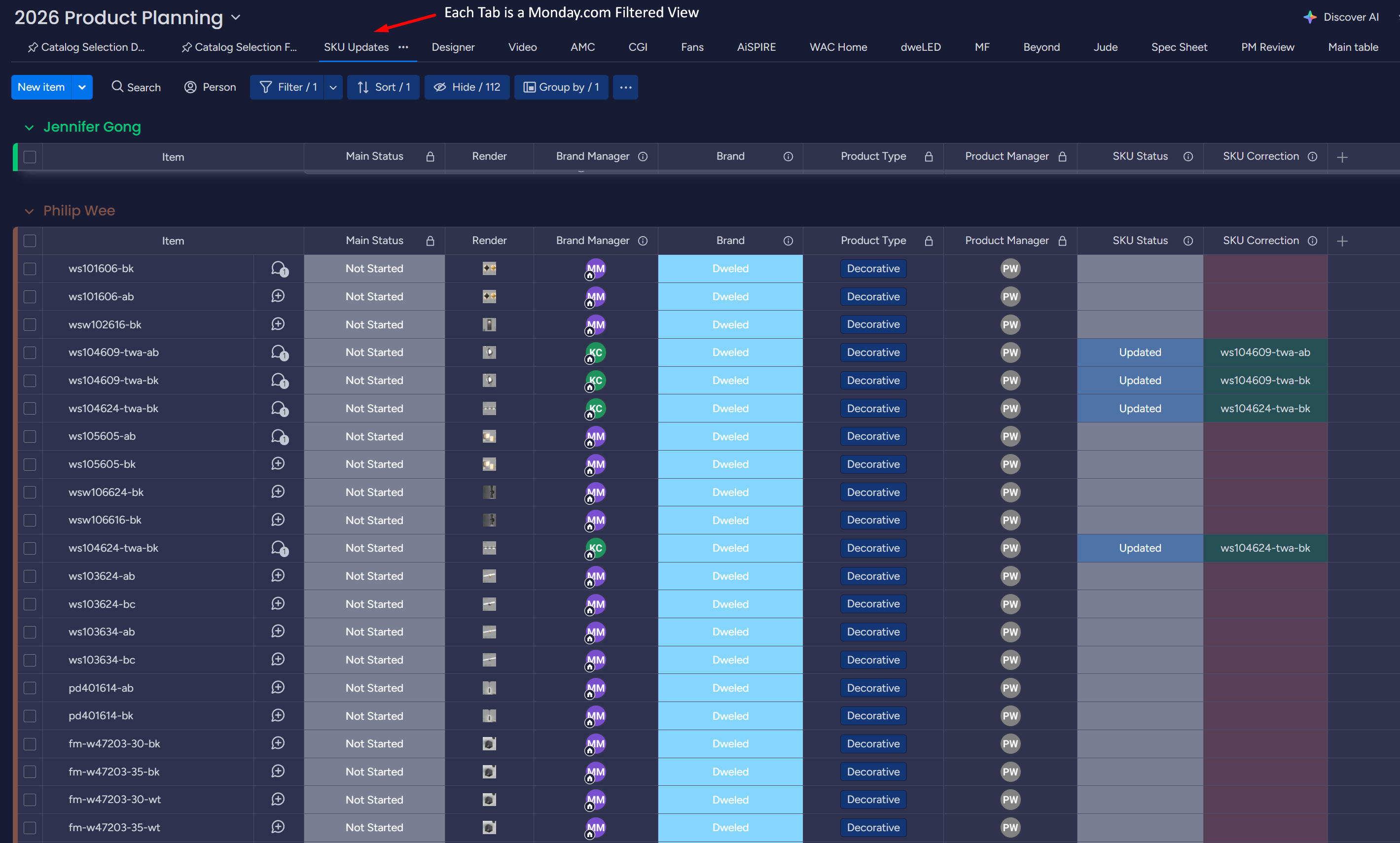
selects the filtered view called SKU Updates.
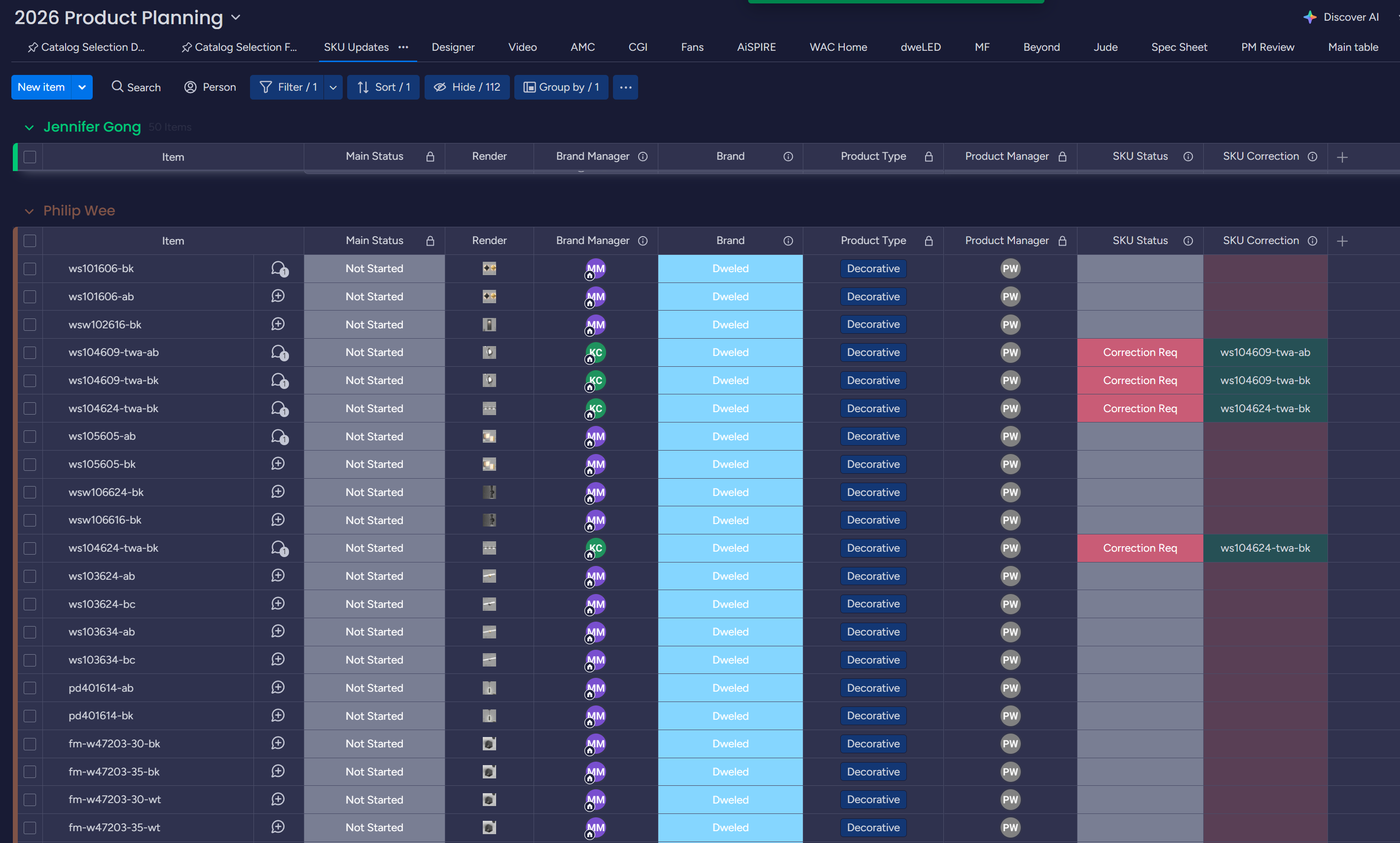
Two columns drive the whole update:
| Column | What it does |
|---|---|
SKU Correction | Where you enter the new SKU number(s) |
SKU Status | The signal that tells other teams what to do next |
The procedure
Section titled “The procedure”The path depends on the value of the folder_automation column, because that
column controls whether the Lucid folder structure has already been built.
-
Enter the new SKU number in the
SKU Correctioncolumn. -
Check the
folder_automationcolumn for that item. -
Pick the path based on its value:
- If
folder_automationisFailedorDone, flipSKU StatustoCorrection Req. This notifies all relevant parties that they must update the folder names on Lucid themselves. - Otherwise, update the main
Namecolumn directly to reflect the new SKU and flipSKU StatustoUpdated.
- If