
Groot Publisher setup
Groot Publisher is a Photoshop plugin that helps you save, export, and publish your work with clean, consistent naming - no more manual versioning. It is central to PPID & web export. It is still in beta and will continue to improve over time.
Install
Section titled “Install”- Install the latest plugin file (
groot-publisher_v1.x.x.ccx). - Double-click the file and Adobe will install it automatically.
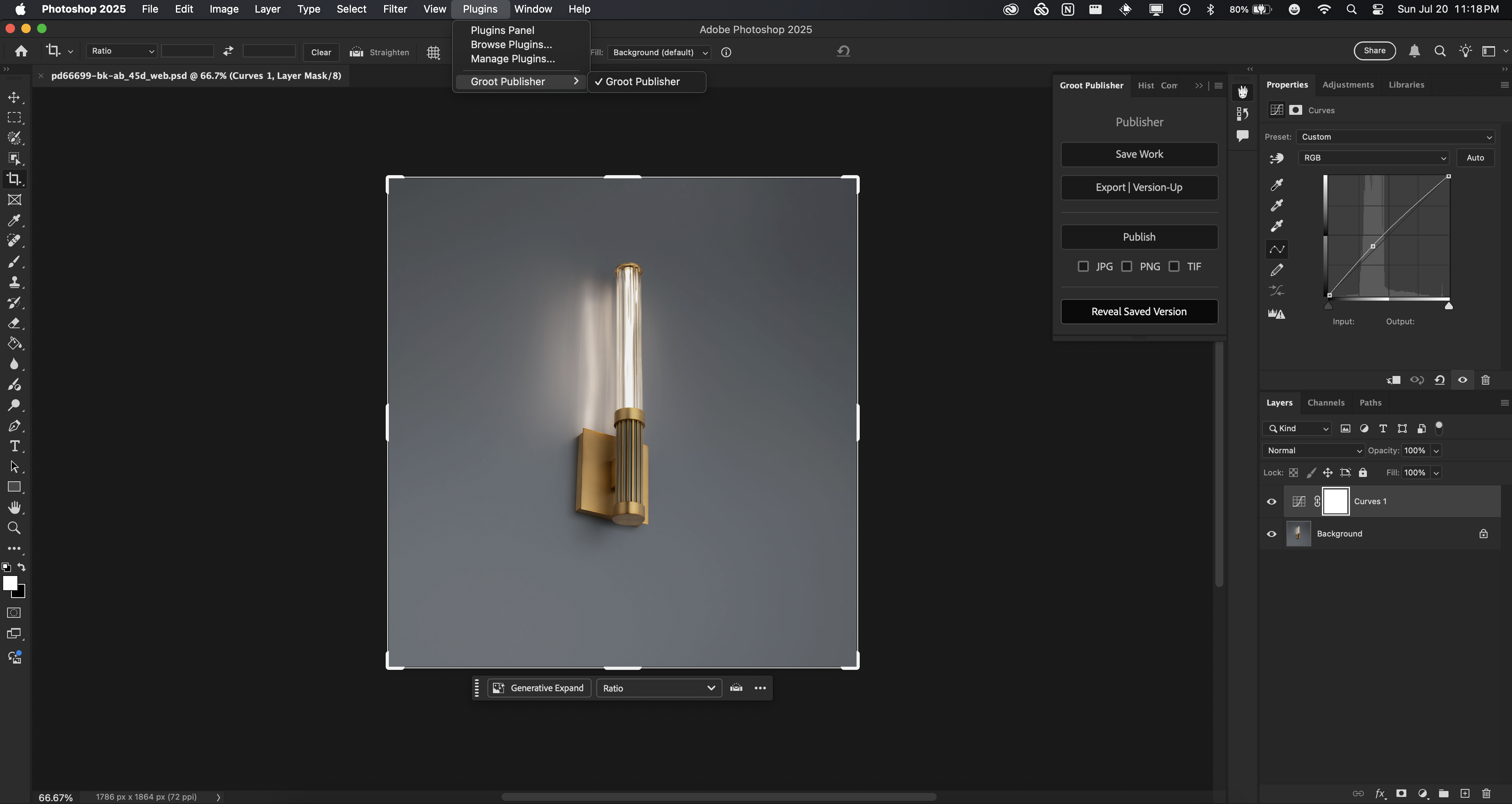
- Open Photoshop and go to Window → Plugins to find it. Once enabled, it appears on the right side.
What it does
Section titled “What it does”- Saves your work with smart names based on folder structure and product info.
- Automatically versions your exports (
_v01,_v02, etc.). - Publishes approved images into special folders for team handoff.
Main buttons
Section titled “Main buttons”- Save Work: saves your PSD/PSB with the right name based on the folder.
- Version-Up: exports images with version numbers, tracked via
groot_tracker.json. The optional Proof Grey Background toggle auto-adds a neutral grey background to all versions for review. - Publish: pushes approved versions into their destination
_publishedfolders.
Configure: folder-based behavior
Section titled “Configure: folder-based behavior”Groot Publisher adapts based on where you are working.
In regular folders, Save Work creates a clean PSD/PSB name, Version-Up adds
version numbers (_v01, _v02, etc.), and Publish creates a _published folder
and puts the approved file there.
Special folders change the behavior:
| Folder | Purpose | Save example | Export example | Publish example |
|---|---|---|---|---|
/app_shot | app shots | pd-25518-bk_app_shot.psd | pd-25518-bk_app_shot_v01.jpg | pd-25518-bk_inglorious_pub.jpg |
/concept_img | concept work (mid-journey) | pd-25518-bk_concept_img_name.psd | pd-25518-bk_concept_img_name_v01.jpg | - |
/renders | read-only folders | Overwrites only | Versioned export | - |
/web_thumbnails | web export flow (PPID images) | pd-25518-bk_front_web.psd | Goes to /web_thumbnails | UPPERCASE files go to /ppid, /filtered, /unfiltered |
/versions | edited approved angles for photography | pd-25518-bk_front.psd | pd-25518-bk_front_v01.jpg | pd-25518-bk_front_pub.jpg |
/cam_solve | camera perspective solves | pd-25518-bk_cam_solve.psd | pd-25518-bk_cam_solve_v01.jpg | pd-25518-bk_cam_solve_pub.jpg |
For the full per-folder naming guide (the /web_thumbnails PPID export flow in
particular), see PPID & web export.
Protected folders
Section titled “Protected folders”/originals: no saving via the plugin. Clean uploads only for raw camera photography./_published: only written via the Publish button when a shot is approved.
Export settings
Section titled “Export settings”Version-Up always exports JPEG; the format checkboxes below apply only to Publish in the non-PPID workflow. When you use Publish there, tick at least one export format:
- JPG
- PNG
- AVIF
For the PPID-triggered workflow (web thumbnail, web unfiltered, web appshot), the Publish button now exports directly to AVIF by default.
The plugin keeps track and auto-versions for you, and Iconik shows the latest version for review.
Naming rules
Section titled “Naming rules”- PSD/PSB files do not get version numbers - only exports do.
- Dashes and other symbols in names are converted to underscores automatically.
- The Publish button adds a
_pubsuffix. - The plugin asks before overwriting anything.
Verify
Section titled “Verify”Run Save Work → Version-Up → Publish on a test file in a /web_thumbnails folder
and confirm the uppercase outputs land in /ppid, /filtered, and /unfiltered.